
How to Use AI with Your Kindle Books: Ask Questions, Review, and Take Notes
Ask about a passage you are stuck on. Review a book you finished last month. Turn a chapter into notes you will actually reread. This guide shows how to pick the right AI for the job and keep every answer tied to the book you own.

Go to Chrome Web Store ↗
Read with questions. Review after you finish.
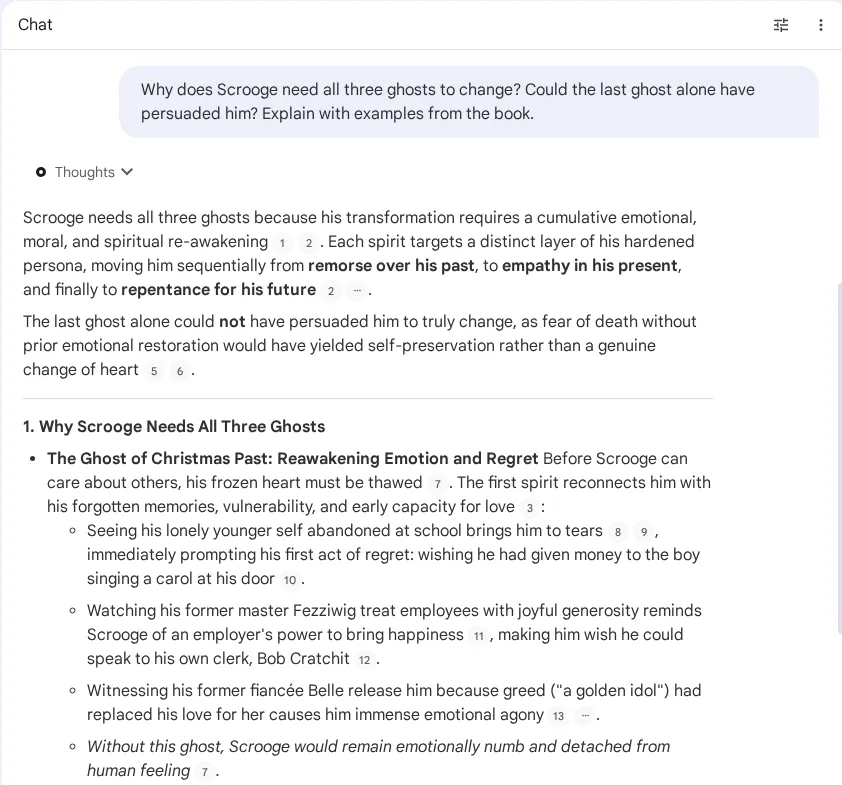
While you read: ask about the parts that stop you
“Explain this with a different example.” “How does this connect to chapter 2?” Asking about a passage while it is fresh is where AI helps most, as long as you can see the passage it is answering from.
After you read: recall the argument, not just the highlights
Ask for the chapter-by-chapter structure, the three strongest claims, or the evidence behind one idea. Summaries and audio recaps leave things out, so treat them as a way back into the book rather than a replacement for it.
Choose the AI by the job, not the brand
| What you want | Good fit | Detailed guide |
|---|---|---|
| Keep the book as a source and come back to it with questions, Audio Overviews, quizzes or flashcards | Gemini Notebook (formerly NotebookLM) | Add a Kindle book to Gemini Notebook |
| Talk through a hard passage, rephrase it, or apply it to your own situation | ChatGPT, Claude or Gemini with the relevant text attached | ChatGPT · Claude · Gemini |
| Study a textbook chapter and test yourself | Gemini Notebook study tools, or any chat AI with a quiz prompt | Study notes, quizzes and flashcards |
| Listen to a recap on your commute | Gemini Notebook Audio Overview | Podcast-style Audio Overview |
Use whichever AI you already trust. What matters more is whether it shows where an answer came from, which files it accepts, and what the limits are on your plan. Features and limits change by service, plan and date.
TXT, PDF, EPUB or highlights?
| Format | Best for |
|---|---|
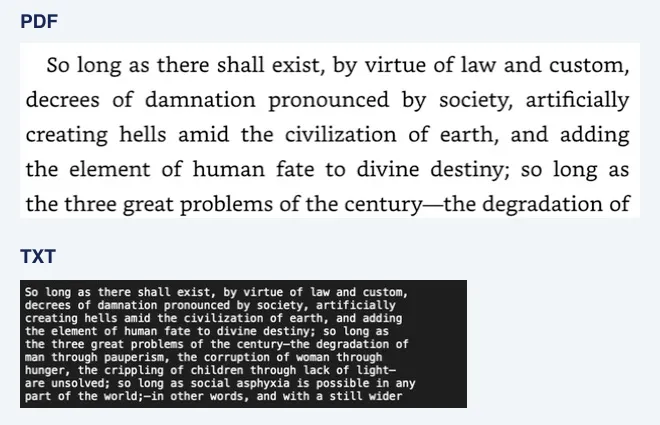
| TXT | Questions about the wording and argument. Easy for AI tools to read and easy for you to check and correct. Figures are not included. |
| Reference PDF | Checking how a page looked. If you upload it, confirm that the AI can read image-based PDFs. |
| An EPUB or PDF you already have | If you are allowed to use it and the AI accepts the format, use it directly. No transcription needed. |
| Highlights and notes | Reviewing what you marked. Add surrounding text when you want to ask how ideas connect. See how to export Kindle highlights. |
Amazon offers EPUB/PDF downloads for some DRM-free purchases when the publisher enables it. It does not cover every Kindle book, and borrowed titles do not qualify. Amazon’s DRM-free download guidance
From book to checked answer in four steps
book
with BookHalo
and ask
the book
Check the book and the format you can use
Confirm that you own or are permitted to use the book, and which formats your AI tool accepts. If you already have a suitable PDF, EPUB or text, start from that file.
Prepare TXT and a reference PDF with BookHalo if needed
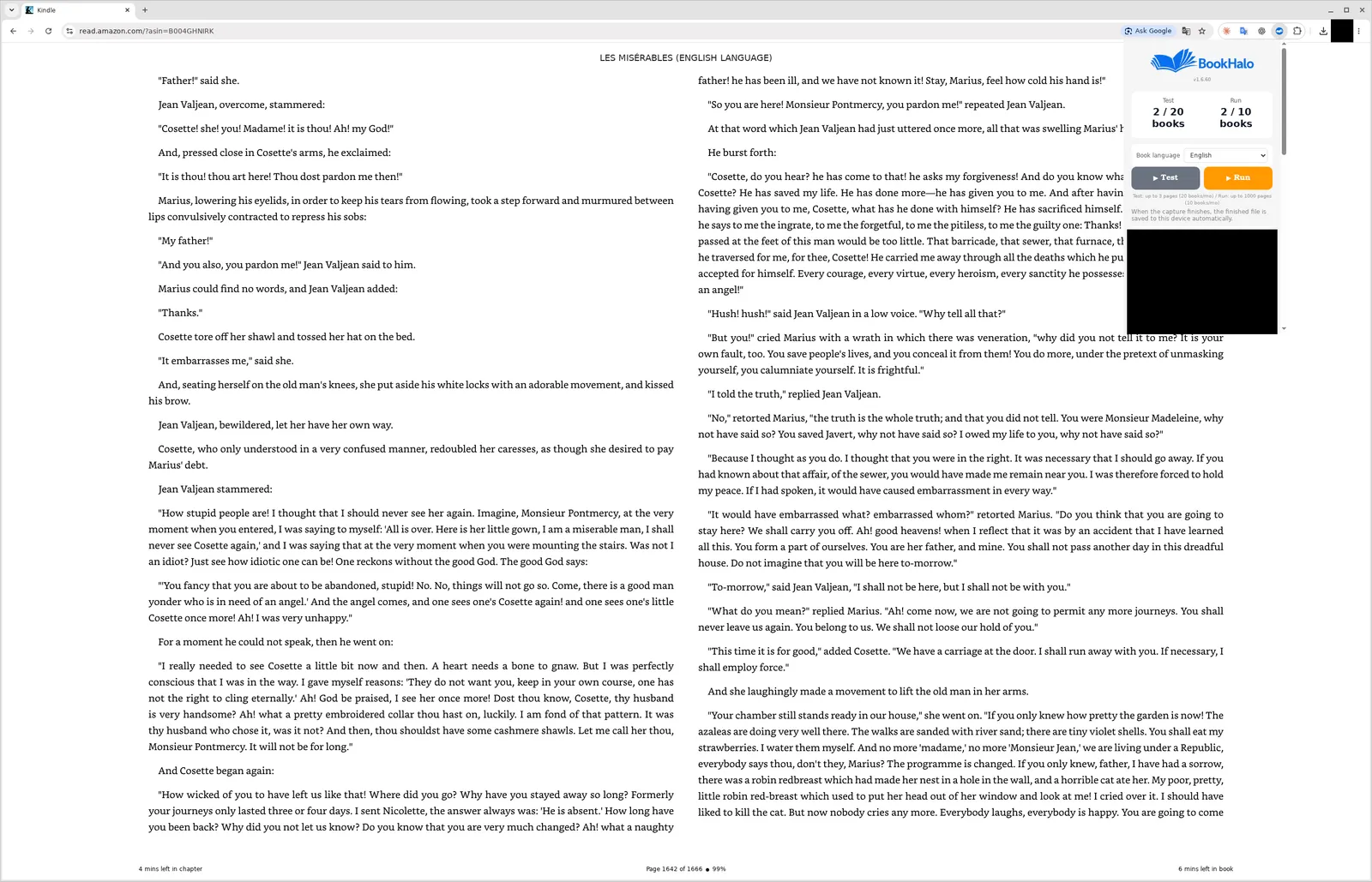
Open the book in Kindle Cloud Reader in desktop Chrome and sign in to BookHalo. Run the free three-page test and compare the TXT with the PDF. A full capture needs a subscription. See the step-by-step manual.
Add the text to your AI and say why you are reading
Upload the TXT or paste the passage you need. Tell the AI your goal, such as “I want to use this at work” or “I don’t follow this argument”, and ask it to separate what the author says from its own interpretation.
Verify the answer against the book
Find the cited passage in the TXT and confirm it in the book or the reference PDF. Keep only what you have checked, written in your own words.
Frequently asked questions
Do I have to transcribe a Kindle book to use it with AI?
No. If you have a PDF, EPUB or text file you are allowed to use and your AI accepts it, use that. BookHalo is one option for preparing TXT and a reference PDF from pages displayed in Kindle Cloud Reader.
Do I need to upload the whole book?
Not for a question about one passage: start with that passage and enough context around it. Questions about the whole book need a wider source. More text does not automatically mean better answers, and every AI has upload limits.
Can I just ask ChatGPT about a book by its title?
You can, but the answer comes from whatever the model already knows about the book, not from your edition or the page you are on. For notes you can rely on, attach the passage you are asking about.
Which AI is best for books?
It depends on the job. Gemini Notebook keeps your sources and adds study and audio tools; ChatGPT, Claude and Gemini are good for back-and-forth discussion. Pick one that shows where its answers come from.
Is BookHalo free?
You can sign in and run a free test of up to three pages per book to check the transcription. Capturing a whole book requires a subscription. AI services have their own plans and limits.
Before you start
BookHalo is for personal reading notes and study using books you can lawfully access. Do not share, sell or publish the files it creates or use them in ways that infringe the rights holder’s rights. Follow Amazon’s terms and the copyright law that applies to you, and check your rights and the AI service’s terms and sharing settings before uploading anything.
Sources
- Google: supported sources and limits in Gemini Notebook
- Amazon KDP: EPUB/PDF downloads for eligible DRM-free purchases
- BookHalo manual with screenshots
Checked October 2026. Google renamed NotebookLM to Gemini Notebook in July 2026; this page uses the new name. Screens and features may change.
Check the transcription on your own book first
Compare the TXT and PDF from a free three-page test. Sign-in is required, even for the free test.
Open BookHalo on Chrome Web StoreCapture is limited to personal or household use of books you purchased or otherwise have rights or permission to copy and retain. Kindle Unlimited, Prime Reading, loans and samples are excluded unless you separately have those rights or permission.
Agree using the checkbox in the popup; your agreement is saved in this browser. Purchase or confirmation alone does not authorize copying, prove ownership or guarantee legality. Read any Kindle warning and do not bypass restrictions.
Sending content to an external AI service is separate from copying it on your device. Check your rights to upload, store and share it, the destination terms, training and sharing settings, and conditions for using generated output. Buying a book does not necessarily permit uploading its full text.