
How to Study a Kindle Textbook with AI: Notes, Quizzes and Flashcards
Reading a chapter twice is not the same as knowing it. AI can turn a chapter into questions that make you recall it, but only if it works from your edition of the book and you check what it gives you.


Go to Chrome Web Store ↗
From chapter to flashcards in four steps
one chapter
an AI
and cards
review
Prepare the text of one chapter
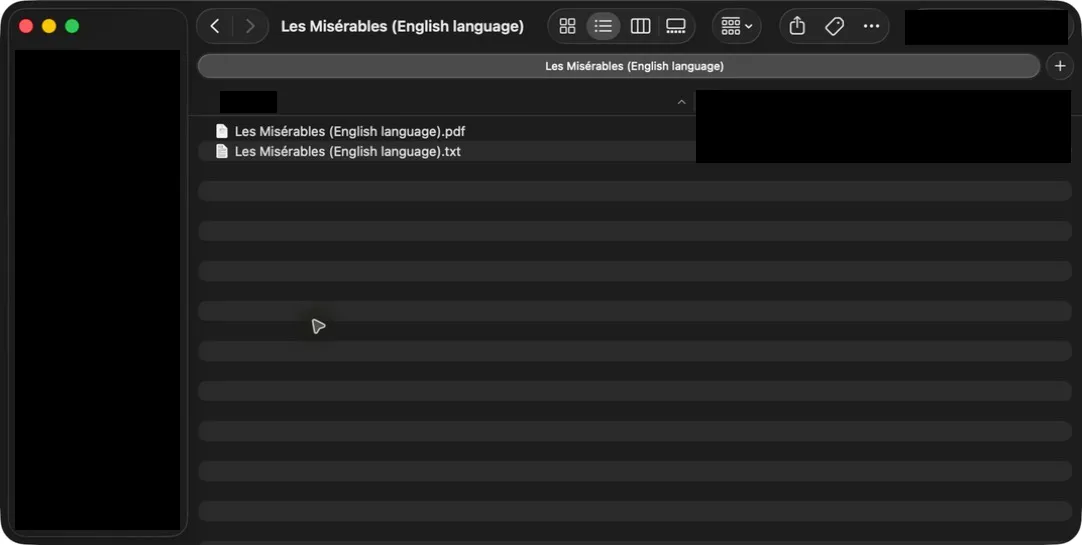
If you already have a PDF or EPUB you may use, start there. Otherwise open the textbook in Kindle Cloud Reader and use BookHalo to create a TXT file and a reference PDF. Run the free three-page test first to check how well the pages are read.
Add the chapter to Gemini Notebook or a chat AI
In Gemini Notebook, create a notebook for the course and add the TXT as a source. In ChatGPT, Claude or Gemini, attach the file or paste the section you are studying. One chapter at a time keeps answers focused.
Ask for a study guide, practice questions and flashcards
Gemini Notebook can generate study guides, quizzes and flashcards from your sources. In a chat AI, ask for them with a prompt like the ones below, and ask it to name the section each item comes from.
Check every item against the book, then review over several days
Look up each answer in the TXT or reference PDF and fix or delete anything the book does not support. Then test yourself again on later days instead of rereading.
Prompts that make you think, not just read
These are examples of how to ask. They are not tested results and the same model will not always give the same answer.
Study guide
Using only the attached chapter, write a one-page study guide.
List the key terms with definitions, the main ideas in order,
and two common mistakes a student might make.
Name the section each point comes from.
Practice questions
Write 10 practice questions on the attached chapter:
5 multiple choice, 3 short answer and 2 "explain why" questions.
Put the answers and the section they come from at the end,
so I can try the questions first.
Flashcards
Turn the key terms and ideas in this chapter into 20 flashcards.
Front: a question that makes me recall the idea, not just the word.
Back: a short answer in plain language, with the section it comes from.
Format as two columns so I can paste them into a flashcard app.
Explain it differently
I don't understand the part about [topic].
Explain it with an everyday example, then show me
where the chapter makes the same point.
Tips for textbooks
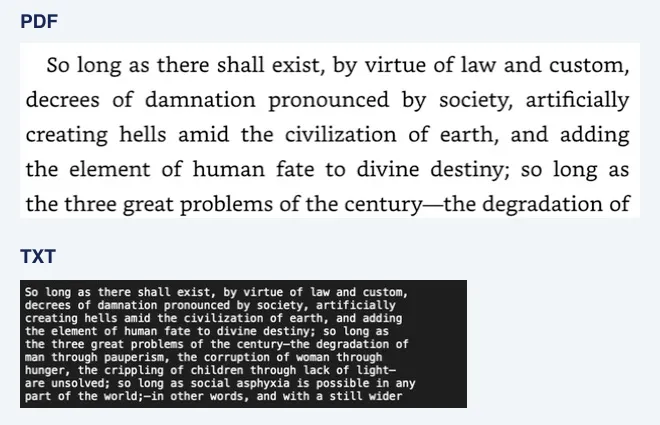
- Figures, tables and equations: the TXT contains text read from the page images, so diagrams are not included and equations may not come through cleanly. Check those in the reference PDF or the book.
- One course, one notebook: keep each course’s chapters together so questions can draw on earlier chapters without mixing in other subjects.
- Your course comes first: if your instructor’s notes or the syllabus differ from what the AI says, follow your course.
- Academic rules: follow your school’s rules on AI use. Practice questions are for your own revision, not for submitted work.
Frequently asked questions
Can Gemini Notebook make flashcards from a Kindle book?
Gemini Notebook can generate flashcards and quizzes from sources you add. Kindle books cannot be added directly, so add a PDF, EPUB or text you are permitted to use, such as a TXT file prepared with BookHalo from pages you view in Kindle Cloud Reader.
Does this work with Kindle textbooks that look like printed pages?
BookHalo reads the pages displayed in Kindle Cloud Reader, so page-image layouts can work. Accuracy depends on the layout, especially for equations and tables. Try the free three-page test on a representative page first.
Can I share the flashcards with my study group?
Keep them to yourself. Generated questions and cards can include passages from the book, and BookHalo output is for personal study only. Make shared materials from your own notes instead.
How much of the book should I add at once?
Start with the chapter you are studying. Add more chapters when you want questions that connect them, keeping within the AI service’s upload limits.
Use it responsibly
BookHalo is for personal study using textbooks you can lawfully access. Do not share, sell or publish the files it creates or study materials that reproduce the book. Check the AI service’s terms, training settings and sharing settings before uploading course material.
Sources
Checked October 2026. Study features and limits vary by service, plan and date.
Check how your textbook reads first
Run the free three-page test on a typical page and compare the TXT with the PDF. Sign-in is required.
Open BookHalo on Chrome Web StoreCapture is limited to personal or household use of books you purchased or otherwise have rights or permission to copy and retain. Kindle Unlimited, Prime Reading, loans and samples are excluded unless you separately have those rights or permission.
Agree using the checkbox in the popup; your agreement is saved in this browser. Purchase or confirmation alone does not authorize copying, prove ownership or guarantee legality. Read any Kindle warning and do not bypass restrictions.
Sending content to an external AI service is separate from copying it on your device. Check your rights to upload, store and share it, the destination terms, training and sharing settings, and conditions for using generated output. Buying a book does not necessarily permit uploading its full text.