BookHalo

BookHalo

日本語

Export Kindle Books
to Text & PDF

Convert books from Kindle Cloud Reader to text with high-accuracy OCR. Easily export as PDF and text files with this Chrome extension.

Get it on Chrome Web Store

One-click install — try it free

Works on Windows & Mac

Demo

High-Accuracy Japanese OCR

Supports both vertical and horizontal text. Extracts Japanese and English printed text with high precision.

Simple Operation

Open a book in Kindle Cloud Reader, click the extension button, and it automatically turns pages and extracts text.

Multiple Output Formats

Download text and PDF bundled as a ZIP file. Use whichever format suits your needs.

Two-Page Spread Support

Automatically splits two-page spreads into individual pages, maintaining correct page order.

Pricing

¥780 / month (tax incl.)

Up to 10 books per month, 1,000 pages each. Subscribe from within the Chrome extension after email verification.

Free tier: up to 20 books per month, 3 pages each. Install and try it out!

How to Use

1

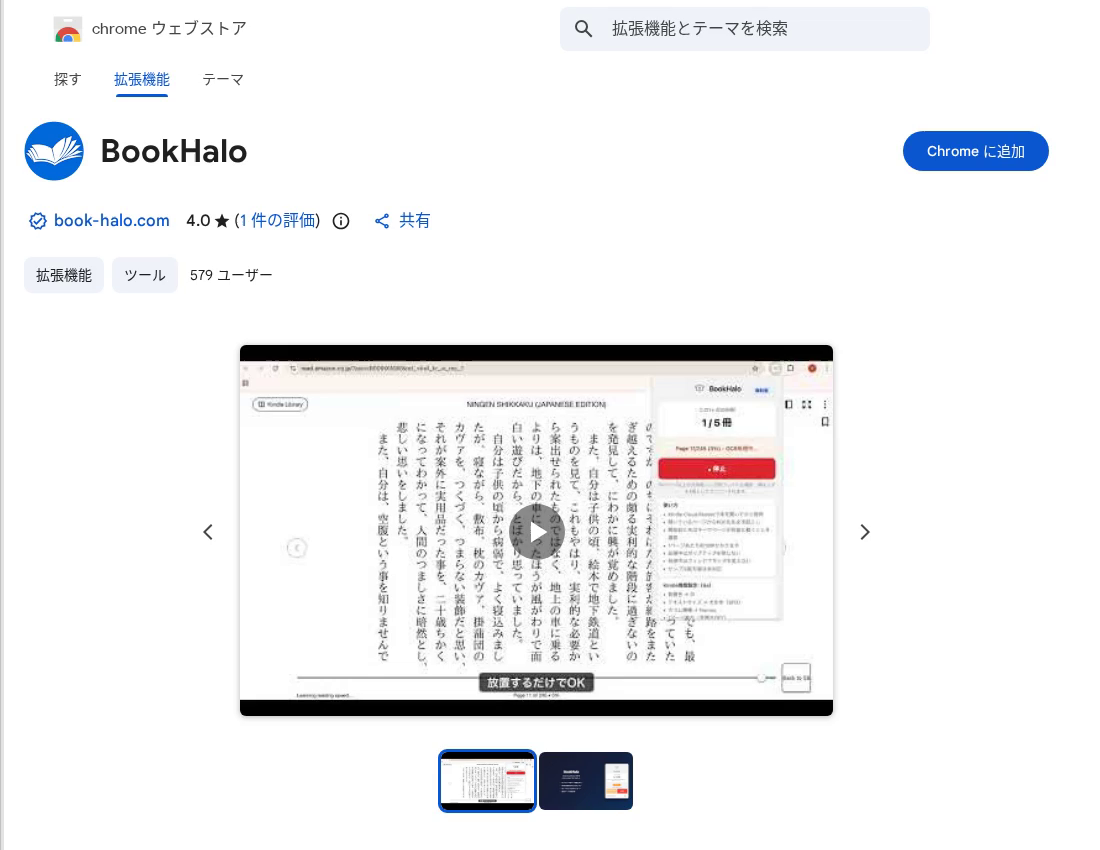
Install from Chrome Web Store

Click the button below to open the BookHalo store page, then click "Add to Chrome" to install.

Open Chrome Web Store
BookHalo on Chrome Web Store
2

Pin the Extension

Click the puzzle icon in Chrome's toolbar, then click the pin icon next to BookHalo. This keeps it accessible with one click.

Pin BookHalo to toolbar
3

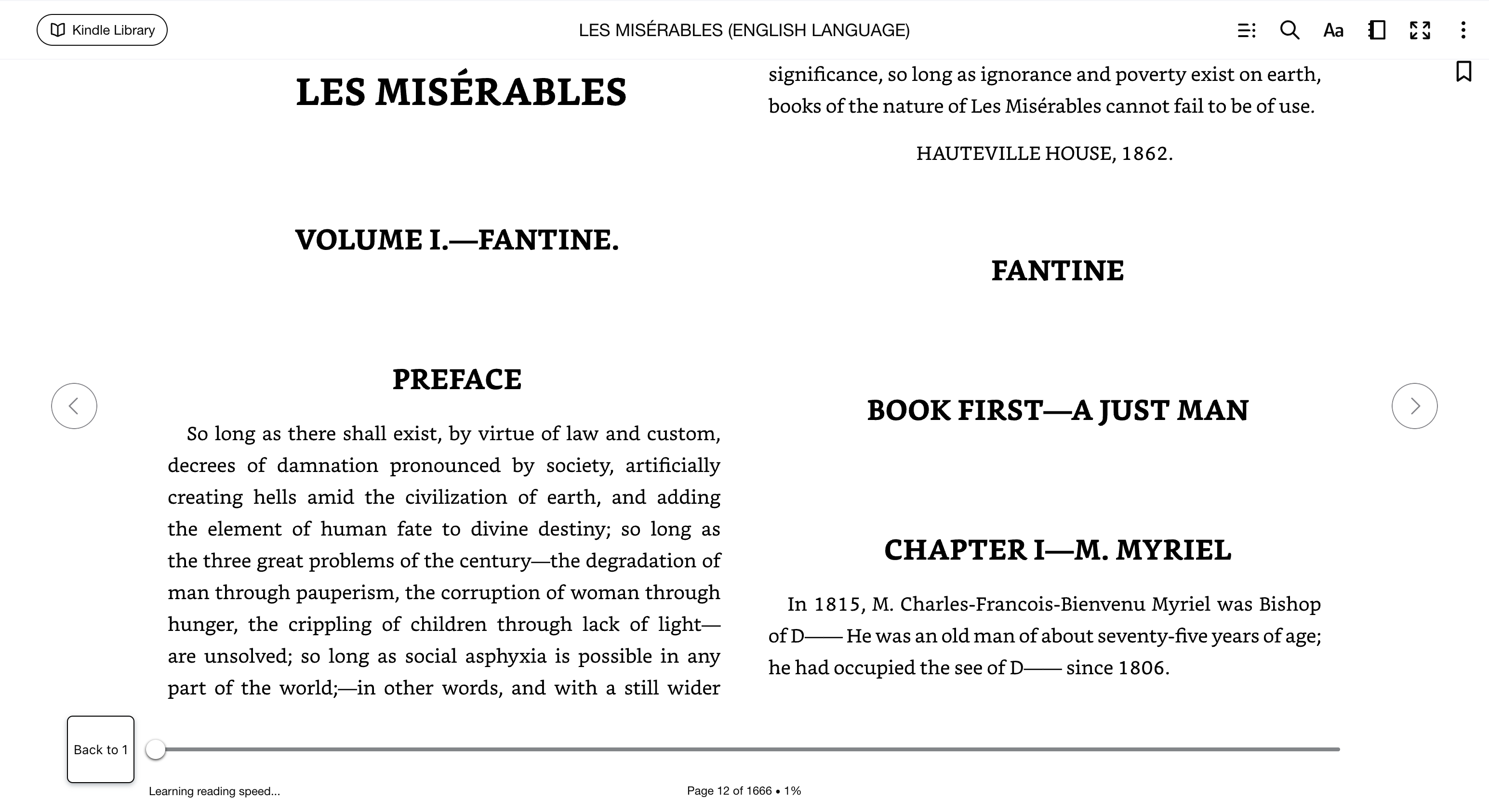
Open a Book on Kindle Cloud Reader

Go to read.amazon.com in your browser and open the book you want to convert. Use the browser version, not the Kindle app.

Book opened in Kindle Cloud Reader
4

Sign Up / Log In with Email

Click the BookHalo icon to open the popup, enter your email address, and log in with the verification code.

Log in to BookHalo with email
5

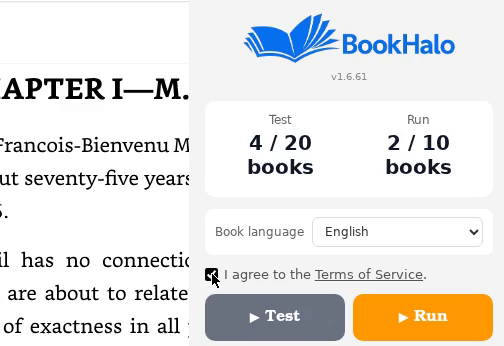
Click "Start OCR" to Begin

Press the button and BookHalo will automatically turn pages, capture screenshots, and extract text via OCR. When finished, a ZIP file with text and PDF is downloaded automatically.

BookHalo popup - Start OCR
6

Download & Review the ZIP

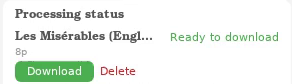
Once all pages are processed, the results are automatically downloaded as a ZIP file.

Downloaded files:

  1. Find "Book Title.zip" in your browser's download bar or Downloads folder
  2. Right-click → "Extract All" to unzip (on Mac, double-click)

Inside the folder:

  • 📄 full_text.txt — Full text extracted by OCR
  • 📕 book.pdf — All pages compiled as PDF

Upload the text file directly to NotebookLM or ChatGPT for further use.

Important Notes

  • Do not switch tabs or windows while processing. It may affect screenshot capture.
  • Kindle sample/preview books are not supported.
  • Desktop Google Chrome (or Chromium-based browser) is required.

Terms & Disclaimer

  • Personal use only. Commercial use, redistribution, or resale of exported data is strictly prohibited.
  • No misuse. Use for copyright infringement is prohibited. This tool is intended only for personal backup and study of books you have purchased.
  • The developer assumes no liability for any damages arising from the use of this tool.
  • Please comply with Amazon's Terms of Service and applicable copyright laws in your jurisdiction.

FAQ

Can I convert Kindle books to PDF or text?
Yes. BookHalo uses OCR (Optical Character Recognition) to extract text from books opened in Kindle Cloud Reader, and exports them as PDF and text files.
What types of books are supported?
Any book viewable on Kindle Cloud Reader (read.amazon.com) is supported. Both fixed-layout and reflowable formats work.
Does it work with vertical text (Japanese books)?
Yes. Both vertical and horizontal text layouts are supported. The OCR engine is optimized for Japanese text and handles vertical writing accurately.
How are two-page spreads handled?
When the browser displays a two-page spread, BookHalo automatically splits it into left and right pages, maintaining correct page order.
What file formats are output?
Text files (.txt) and PDF are bundled together in a ZIP file for download.
Can I use it for free?
Yes. The free tier allows up to 20 books per month with up to 3 pages each. The full plan is ¥780/month (tax included) for up to 10 books with up to 1,000 pages each. You can subscribe from within the Chrome extension.
Does it work with non-Kindle ebook services?
Currently, BookHalo is designed exclusively for Kindle Cloud Reader. Other ebook services are not supported.
Can I use it on my phone?
BookHalo is a Chrome extension and requires desktop Google Chrome. It is not available on mobile browsers.